WORKFLOW GUIDE · INQUIRY REVIEW
Keep the next decision visible to the whole crew.
For a small roofing, plumbing, or remodeling team where the owner, estimator, and office coordinator share the first response. BidOtter keeps each submitted inquiry and its review notes in one workspace so a lead does not disappear into a personal inbox.
A ROOFING-TEAM EXAMPLE
Move a leak report from the queue to a human follow-up.
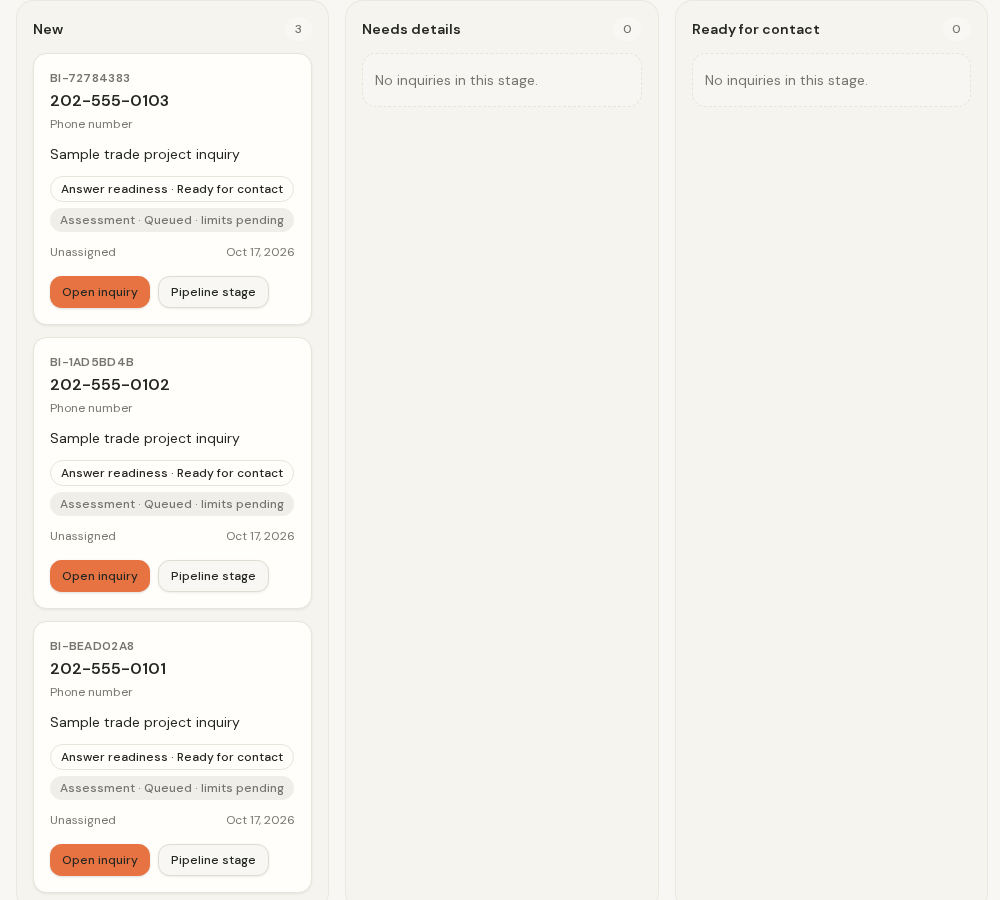
Imagine a homeowner asks about an aging roof and a leak near a dormer. The form keeps the scope, ZIP code, and desired timing on the inquiry. An estimator can open the saved answers, add a note about what to inspect, and agree with the owner on who will call and when.
In the pipeline, an administrator can change stage labels, move an inquiry, assign it to a team member, or snooze and resume it. On the detail page, the team can record a next action, due date, internal notes, and saved activity. Answer edits create a new version while the earlier submission remains in history.
This gives a small crew one place to see who owns a request and what the next step is. The team still makes the decision and carries out the follow-up.
KEEP THE PROMISE PRECISE
A shared review space, not a CRM replacement.
- Repeat submissions stay separate because there is no contact directory to link them.
- The conversation log stores team activity; it does not sync outside inboxes or send homeowner messages.
- Next actions and due dates are manual. Reminder automation and inquiry export are not enabled in this launch.
- Owner notifications are attempted separately from the review queue. A recorded proxy acceptance does not confirm inbox delivery.
- New AI assessments, response drafts, and photo uploads are paused; review the submitted answers directly.
A PRACTICAL NEXT STEP
Decide who reviews new inquiries and records the next move.
Publish a form, assign each new request to the teammate who will review it, and agree on what each stage means before your first busy week.