WORKFLOW GUIDE · AI INQUIRY QUALIFICATION
Understand the project before the first callback.
For U.S. trade owners who sort new requests between estimates, crews, and customer calls. BidOtter is built to organize project answers against company-approved criteria. New AI assessments are paused in the current launch, so the guide separates the saved workflow from the analysis that is not running today.
A POOL-BUILDER EXAMPLE
Start with the details the estimator would ask for anyway.
Consider a homeowner asking a pool contractor to replace worn plaster and update a pump before next season. A focused form can capture the project ZIP code, the kind of work, the homeowner’s timing, and a short scope description before the estimator calls back.
When assessment is enabled, the company playbook supplies approved criteria. The workflow keeps fit, customer-stated urgency, and required-answer completeness separate. AI interpretations must cite the saved answer text; missing details remain unknown, and a mismatch is a prompt for a person to review, not an automatic rejection.
That gives a busy trade team a consistent starting point for its first conversation. It does not make the estimate, decide whether to take the job, or contact the homeowner.
WHAT IS READY, AND WHAT IS NOT
Use the saved inquiry today; do not rely on an AI result.
Submitted answers and the form version are saved. The workspace shows required answer completeness and lets the team open the original details.
Assessment criteria must be approved in the business playbook, and the plan needs configured limits and a reset schedule before a new analysis can run.
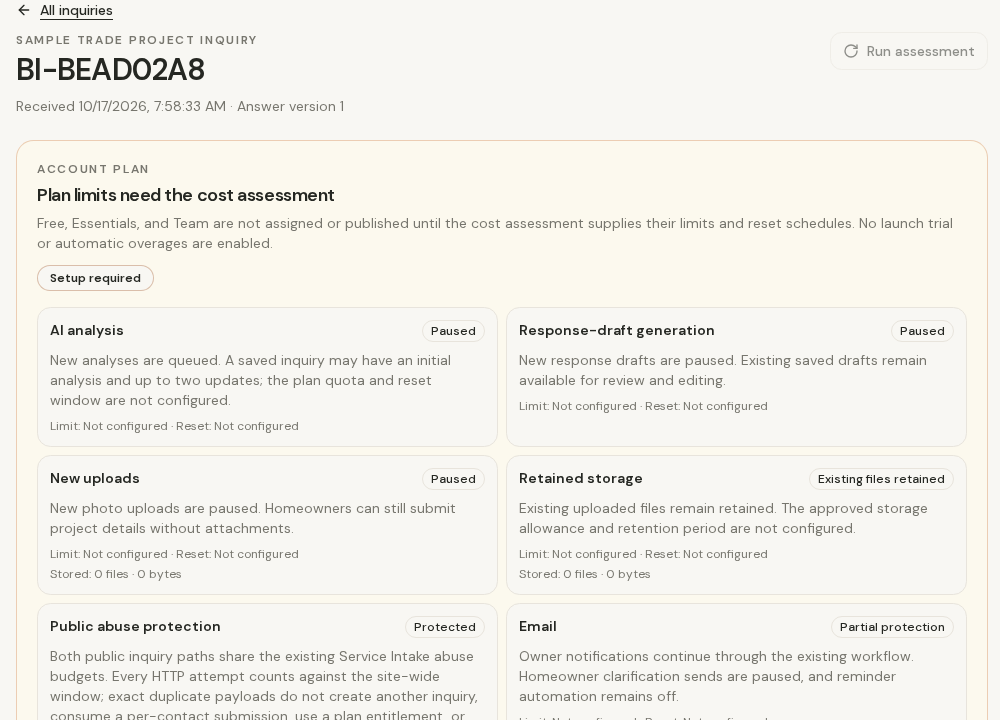
The current workspace marks new AI analysis and response-draft generation as paused because its plan limits are awaiting cost assessment. No assessment result is produced for the sample shown above.
BidOtter does not automatically accept, reject, route, or contact a lead. A person decides what happens next and carries out follow-up.
Photo uploads, homeowner clarification sends, and automatic reminders are also not active here. An owner notification is a separate attempt; an accepted email-proxy request does not confirm inbox delivery.
A PRACTICAL NEXT STEP
Set up the inquiry form first, then confirm assessment availability.
The existing form and review workflow can collect and preserve project context while analysis remains paused. Contact BidOtter before using an AI result to prioritize real inquiries.